A missed appointment is not just an empty chair. A study by the Illinois College of Optometry, cited in an AOA Ethics Forum case study, found that no-show rates in optometry clinics average 24.8%, and even a modest 15% rate can cost a practice over $50,000 a year in lost revenue.
The good news is that the majority of no-shows are preventable. Most patients do not skip appointments out of indifference — they forget, something comes up, or booking and confirming felt like too much effort. Those are solvable problems.
This guide covers the main reasons patients miss appointments, the practical steps that make the biggest difference, and how the right reminder system turns what is currently lost revenue into reliable, recurring income.
Why Patients Miss Appointments
Understanding the cause matters before reaching for a solution. The most common reasons patients skip appointments include forgetting, not fully understanding the importance of the visit, transportation or childcare issues, or wanting to avoid the hassle of cancelling.
Optometry has a specific problem that most other healthcare specialties do not: the annual exam cycle. A patient who books in January for a March appointment has twelve months of day-to-day life between their last visit and this one. There is no toothache driving them back, no chest pain creating urgency. Vision usually changes gradually. The appointment feels optional, until they are sitting in the chair and realise their prescription has shifted significantly.
In North America, benefit cycles can contribute to this behaviour. Many patients book early in the year to make use of their allowance, but the gap between booking and attendance increases the likelihood of forgetting. In the United Kingdom, patients often rely on practice-led recall systems or reminders linked to publicly funded care, but a notification sent weeks in advance is easy to miss or set aside. In Ireland, recall processes are also typically managed at practice level or supported by public health services, and the same pattern holds: if the reminder arrives too early, it can easily be overlooked.
Across these markets, the single most cited reason for no-shows is simply forgetting, which means the fix is straightforward: use multiple reminders, timed closer to the appointment, and make it easy for patients to confirm, cancel, or reschedule.
What a High No-Show Rate Actually Costs
No-shows bring a lot of hidden costs in optometry. A single missed comprehensive exam does not just cost the value of the eye exam itself. You lose the optical sale that would have followed: frames, lenses, coatings, plus any contact lens fitting or follow-up appointment.
A single visit including optical purchase often totals $300–$500 in the US. In the UK, a private eye test plus a standard dispense typically comes to £170–£250+, often even more for premium frames or complex lenses. Across these markets, the revenue impact of a missed appointment can extend well beyond the exam fee alone.
No-show rates are a operational problem, but they’re also a financial one, and one that a solid optometrist business plan should factor in from the beginning.
Practices that have implemented structured reminder systems have reported no-show rate reductions of over 30%, which automatically means more completed appointments, better schedule utilisation, and less time spent on reactive rescheduling.
Building an Effective Reminder System
The evidence on what works is fairly clear: automated, multi-channel reminders sent at the right intervals are the single most effective intervention.
The key word is automated. Manual reminder calls are time-consuming, inconsistently executed, and increasingly ineffective: patients ignore unknown numbers and rarely return voicemails. An automated system removes the dependency on staff availability and ensures every patient receives the same prompt, every time.
Timing: The Three-Touch Sequence
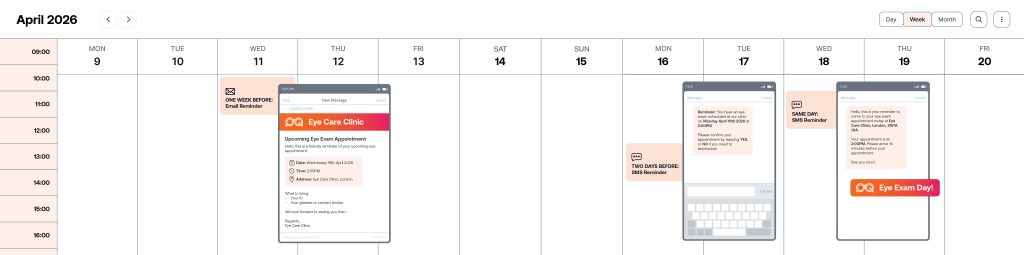
Most practices that have successfully reduced their no-show rate use a three-stage reminder sequence:
- One week out — email with the appointment date, time, and what to bring. This gives patients time to flag a conflict and reschedule without feeling pressured.
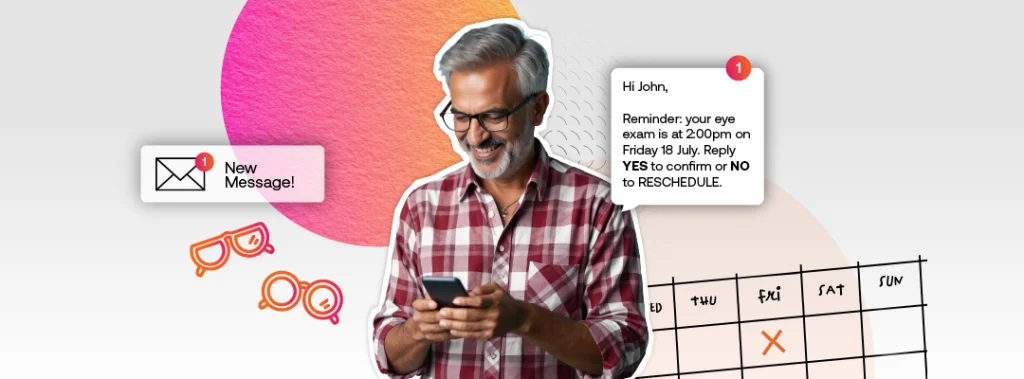
- Two days out — text message with a simple confirm or reschedule option. Keep it short. The goal is a response, not a conversation.
- Morning of — a short text with the address, parking or transport info, and a reminder to arrive a few minutes early. This helps reduce last-minute drop-offs, even among patients who have already confirmed.
Different appointment types warrant slightly different messages. A new patient coming in for a comprehensive exam needs different information than an existing patient collecting a frame order.
Also, one-size-fits-all reminders are better than nothing, but tailored ones perform better.
Channel: SMS, Email, or Both
SMS has the clearest evidence behind it. Open rates for text messages sit at around 98% (far ahead of email) and responses tend to come within minutes rather than hours. For time-sensitive confirmations, text is the most reliable channel.
The role of email for opticians is still important, particularly for longer-lead reminders (one week out) where there is more information to convey (appointment details, what to bring, directions) and where the patient has time to read rather than scan. The combination of email for early reminders and SMS for closer-in confirmations works better than either channel alone.
In the UK and Ireland, healthcare providers must respect local data protection rules (UK GDPR and EU GDPR) when sending appointment reminders and other patient communications.
Your reminder system should let you record and honour each patient’s communication preferences within your practice management system. It should also manage opt-outs automatically, without relying on manual tracking in the clinic.
Two-Way Confirmations
A reminder that just broadcasts information is less effective than one that asks for a response. Allowing patients to reply ‘yes’ to confirm, ‘no’ to cancel, or a link to reschedule turns a passive notification into an active commitment. It also surfaces cancellations early enough to fill the slot, which is the other half of the no-show problem.
Early cancellations create an opportunity to refill appointment slots through a waiting list, short-notice outreach, or other scheduling workflows. Just as importantly, earlier visibility of cancellations supports better diary management, improves utilisation, and reduces wasted clinical time.
Smarter Recall Systems for Fewer Missed Appointments
Reminders address patients who have already booked. Recall systems address patients who have not booked yet: the ones whose last appointment was around twelve months ago and who have not responded to a reminder to return.
A well-run recall programme helps keep the care cycle on track. Rather than waiting for patients to remember to book, the practice proactively reaches out at the right interval with a personalised message that makes booking easy. The message does not need to be complex. A simple prompt such as “It has been a year since your last exam. Click here to book”, is often enough for patients who intend to come back but have simply not got around to it yet.
Online Booking and Easy Rescheduling
One of the less obvious drivers of no-shows is friction. If a patient needs to call during business hours to reschedule, they often simply do not, and the appointment becomes a no-show. If they can tap a link in a text message at 10pm to move their appointment to next week, most will. A smooth online journey for your optical shop is a must in today’s world.
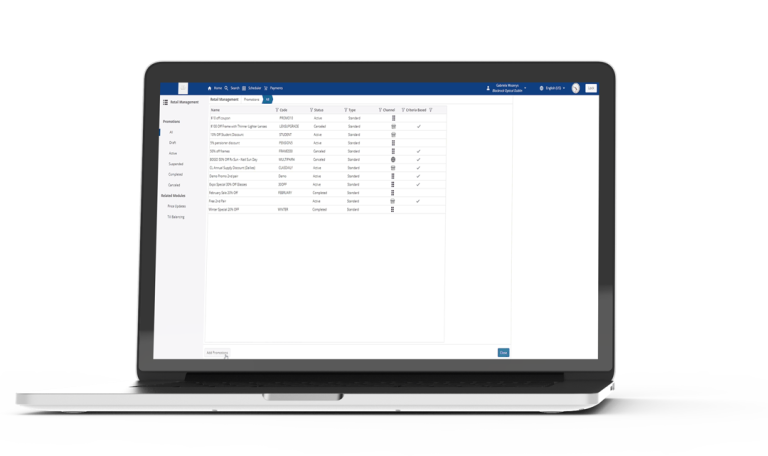
Online booking connected to your practice management system means the slot is updated in real time, no staff member needs to be involved, and the patient receives an automatic confirmation for the new time. In busy periods, this also means cancelled slots can be offered to other patients on a waiting list automatically, recovering revenue that would otherwise be lost.
Patient expectations have shifted. Many people now expect the convenience of booking and rescheduling online, and practices that make that process easy are better positioned to reduce friction, improve attendance, and deliver a smoother patient experience. Loyalty is also less predictable, with convenience playing a larger role in how patients choose a practice. An instant online booking system with real-time availability gives patients certainty and removes the need to wait for confirmation.
Common Mistakes That Make No-Shows Worse
A few patterns come up repeatedly in practices with persistently high no-show rates:
- Relying on a single reminder: One email a week before the appointment is not enough. Patients need prompting closer to the date, and on a channel they actually check.
- Not following up after a no-show: Research found that patients who received an EHR-based message within one business day of missing an appointment were twice as likely to rebook within 30 days. Most practices send nothing.
- Making it hard to cancel: Counterintuitively, practices that make cancelling easy have lower true no-show rates: patients who would otherwise just not turn up instead cancel with enough notice to fill the slot.
- Treating all appointment types the same: A first-time patient, a returning patient collecting glasses, and a patient due for a contact lens check all have different risk profiles and need different reminder approaches.
- Not measuring it: If you do not track your no-show rate consistently, you cannot tell whether interventions are working or whether specific days, appointment types, or patient groups are driving the problem.
How Practice Management Software Supports All of This
The strategies outlined above are simple in concept but time‑consuming to manage manually.
Practices that maintain consistently low no‑show rates are typically using a practice management system that automates reminder and recall workflows, rather than asking staff to handle them consistently by hand.
What to look for in a system:
- Automated, multi-channel reminders triggered by appointment type and lead time, without manual intervention
- Two-way messaging so patients can confirm or reschedule directly from a text or email
- Integrated recall that identifies patients due for review and sends outreach automatically
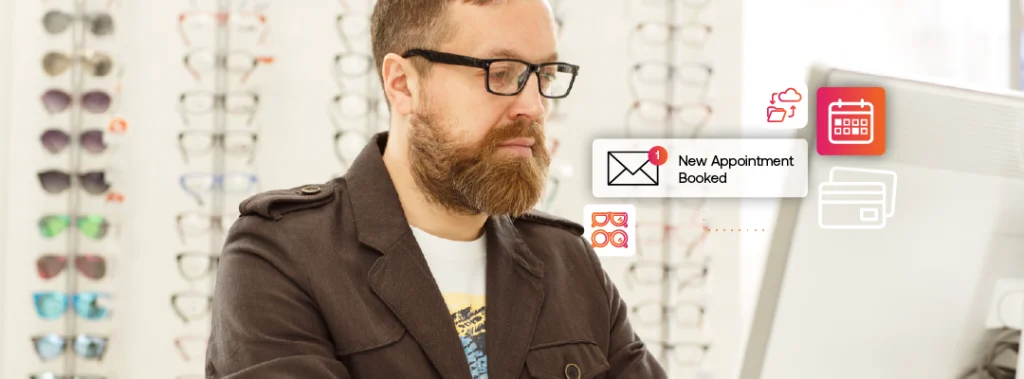
- Online booking linked to the live schedule so cancellations and new bookings update in real time
- Reporting that shows no-show rates by appointment type, time of day, patient group, and location
- Compliance with relevant data protection and patient communication requirements for all patient communications
For independent practices in particular, the right system should handle these workflows without requiring a dedicated patient communications team.
The Bottom Line
No-shows are not an inevitable part of running an optometry practice.
To reduce them, start with a structured three-touch reminder sequence. Add two-way confirmation so patients can respond easily. Build a recall workflow that keeps the annual cycle intact without relying on patients to remember. And make sure your practice management software is doing the heavy lifting, so your team can focus on the patients who are actually in the practice.
Practices that get this benefit from fewer no‑shows, but also reclaim lost revenue, reduce staff workload, and create a steadier, more manageable schedule for everyone involved. See how Acuitas 3 supports independent practices.