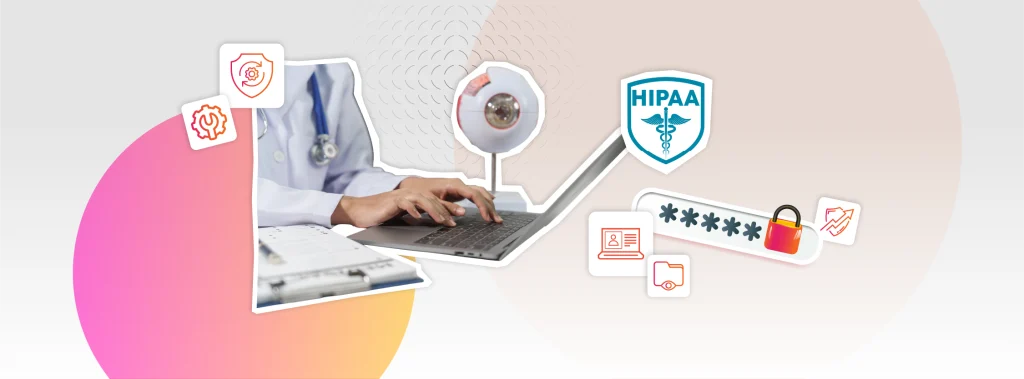
Patient communication is part of everyday work in an eyecare practice. From appointment reminders and follow-up messages to contact lens reorders, your team manages hundreds of interactions each month. These messages can contain private patient information, so how staff send, receive and store them matters.
Even when teams take care with patient information, gaps in everyday processes can create risks. Staff might send recall messages from personal email accounts, use a messaging service without a Business Associate Agreement (BAA) where one is required, or share sensitive details through an unsecured channel when they are busy.
For eyecare practices covered by HIPAA, patient communication needs the same attention as clinical records and other health information. Smaller practices also need to check their communication tools and staff procedures. Familiar habits can be easy to overlook, especially when a system has been used for years without an obvious problem.
This guide explains what eyecare practices need to consider when communicating with patients under HIPAA. It also highlights common gaps and the everyday processes your team should review to help protect patient information.
Why Optometry Practices Are More Exposed Than They Realise
Many independent optometry practices assume that HIPAA is only a concern for large hospitals or insurance companies, but this is a mistake. These practices are considered “covered entities” under HIPAA, meaning you are subject to the same Privacy, Security, and Breach Notification rules as any major medical institution, regardless of your practice size.
Optometry practices are particularly vulnerable because of the high volume and variety of their patient outreach. Unlike a hospital that primarily sends formal clinical letters, an optometry office manages appointment reminders, recalls, lens reorder alerts, and prescription confirmations; often across optometry-specific email, SMS, and online portals at the same time. Each of these touchpoints falls under HIPAA’s scope if it includes or references protected health information.
According to enforcement data from the HHS Office for Civil Rights, the most frequent compliance failures involve improper sharing of health information, a lack of basic security safeguards, and sharing more patient data than is strictly necessary. Unfortunately, these issues are common risks in many patient communication workflows.
What HIPAA Actually Requires for Patient Communication
Three rules define how you can use and share patient information during outreach:

Minimum necessary standard
Only include the specific information needed for the task at hand. A recall reminder does not need to mention a patient’s diagnosis, and an appointment confirmation does not need to list an exam type if doing so reveals sensitive clinical details.

Business Associate Agreements
Any third-party vendor that handles protected health information on your behalf, such as email services, SMS platforms, or patient portals, must sign a Business Associate Agreement (BAA) before you use them. Missing or inadequate BAAs are a leading cause of HIPAA violations. If a vendor refuses to sign one, they are not a viable option, regardless of how convenient their platform might be.

Patient preference and authorization
Patients have the right to choose how they receive communications. If a patient asks for reminders to be sent to a specific phone number instead of their home address, that preference must be honored and clearly documented in their record.
The Channels Practices Use and Where the Risk Lives
The patient landscape has shifted. They want to engage through different practices, whether it is a text reminder, an online portal, or a phone call. Managing patient communication requires careful attention to the security of each channel.
Email is where most optometry practices face the largest compliance gap. Standard email accounts like a basic Gmail or a generic business inbox do not meet HIPAA’s security requirements for transmitting health data without extra configuration.
To stay compliant, you must use a dedicated secure platform, add end-to-end encryption to your service, or use a patient portal that delivers messages within a protected environment rather than via open email.
The BAA requirement applies regardless of your approach. If a third-party platform is involved in sending or storing patient messages, you must have a signed agreement in place before sending a single email.
SMS
Text messaging often gets the best response from patients, which is why practices are reluctant to limit its use. There is a clear tension here: an automated reminder mentioning a patient’s name and appointment type may technically involve protected health information, yet patients often prefer this to receiving a phone call.
HIPAA does allow for some flexibility in these cases. If you inform a patient of the risks of unencrypted texting and they still prefer that channel, you can accommodate them, provided you document that consent and preference in their file.
For optometry practices using automated SMS platforms, however, the BAA requirement still stands. A standard consumer texting tool without a signed agreement is not a compliant option.
Phone
While voice calls generally carry lower transmission risks, they still require specific safeguards. If you leave a voicemail containing protected health information such as appointment details, recall reasons, or prescription confirmations, you must have prior confirmation that the patient is comfortable receiving such messages on their voicemail. You should document this preference in their record.
Additionally, your front-desk staff should follow a consistent protocol: always verify the caller’s identity before sharing information and avoid leaving detailed clinical data with a third party who may answer the phone.
Patient Portals
A properly configured patient portal is the most secure channel because encryption, access controls, and audit logs are built directly into the system. Messages remain within a protected environment rather than traveling across unsecured networks.
The main challenge is adoption, as some patients may find the portal less convenient or fail to register. A realistic approach combines a portal for sensitive clinical messages with carefully configured SMS or email for routine reminders, using patient preferences to dictate which channel is used for specific types of information.
Recall Communication and HIPAA
Recall is where HIPAA compliance and clinical care intersect most directly. Because these reminders often reference annual exams or ongoing monitoring for specific conditions, they inevitably involve protected health information and must be handled through secure, compliant channels.
Best Practices for Recall Outreach
To stay compliant while maintaining patient engagement, follow these guidelines:

Keep it general but actionable
Avoid including unnecessary clinical details. If a reminder mentions a specific condition or exam type that reveals a diagnosis, you increase your security risk.

Document preferences and use secure channels
Always use compliant communication methods, ensuring you have documented the patient’s preferred method for receiving outreach.

Verify vendor compliance
Any platform sending your recall notices must have a signed Business Associate Agreement (BAA) on file.

Maintain an audit trail
Keep a consistent record of exactly what was sent and when.
Automated recall systems built directly into your eyecare EHR handle most of these requirements by default. Because the logic is tied to the clinical record and protected by the system’s internal security, you avoid the compliance risks and operational headaches that come with using disconnected third-party tools.
When evaluating your software, ensure that your recall workflow is a native feature instead of an add-on.
Staff Training and Internal Protocols
Technology alone does not produce HIPAA compliance. HIPAA training for optometry practices is essential because they routinely handle sensitive patient health information through examinations, diagnostic images, prescriptions, insurance billing, and electronic health records, and everyone on the team who accesses that information needs to understand the rules.
Common gaps in independent practices: staff who discuss a patient’s appointment within earshot of others in the waiting area, staff who use personal devices or personal email to contact patients because it is more convenient, staff who share login credentials because the alternative requires extra steps.
HIPAA requires covered entities to have a workforce training programme and to document it.
For a small practice, this does not need to be elaborate, but it needs to exist, be current, and cover everyone who touches patient data, including optical staff handling dispensing records and contact lens orders.
What a Compliant Setup Looks Like
Creating a compliant communication system is more about choosing the right processes and settings than it is about complex technology. Moving away from “whatever is most convenient” and making deliberate choices, any practice can protect patient data effectively.
| Component | What You Need to Do |
|---|---|
| Vendor Agreements | Ensure every third-party service (SMS, email, portal) has a signed Business Associate Agreement (BAA) on file. |
| Patient Preferences | Document each patient's preferred contact method and any restrictions on voice or text messages directly in their record. |
| Communication Rules | Limit message content to the "minimum necessary" information; avoid revealing clinical details in routine reminders. |
| Secure Channels | Use a secure patient portal for sensitive clinical discussions and limit standard email or SMS to routine, non-sensitive updates. |
| Staff Training | Train your team on exactly what information is safe to send or discuss through each specific communication channel. |
| Audit Trails | Use tools that automatically log what was sent, to whom, and when, ensuring you have a record for accountability. |
The Bottom Line
Protecting patient information means paying attention to everyday communication as well as the risk of a larger data breach. The tools your team uses, the way staff share information and the checks you make before choosing a service all matter. Good intentions alone are not enough. Your practice also needs suitable systems and clear procedures that staff can follow during a busy working day.
If your practice wants to bring patient communication, recalls and clinical correspondence together in one platform, Acuitas 3 is an option to explore. A demonstration can help you understand how it supports these tasks and assess whether it meets your practice’s privacy and security requirements.
Book a demo with Acuitas 3 to see how the system handles patient communication and how it could help your team manage daily work.