Switching practice management software is a significant decision, and shortlisting tends to take longer than expected. Acuitas 3 and Optisoft are two platforms that come up regularly for UK independent opticians: both companies have been in the market for decades, both are designed specifically for optical practices, and both cover the core of what a day-to-day practice needs to function.
The decision is never based on a single feature. It comes down to how deeply each platform handles clinical workflows, what the pricing structure looks like over time, how well the system scales if the practice grows, and what happens when something goes wrong and support is needed. Those are the areas this comparison focuses on.
All feature and pricing information below is compiled from publicly available documentation on both vendors’ websites and is accurate to the best of our knowledge at the time of writing. Feature availability may change; always verify directly with each vendor before making a decision.
Background on Each Platform
Optisoft has been building optical practice management software in the UK since 1989. The current system, Optisoft.NET, is the fourth generation of the platform and launched in 2019. It is designed specifically for independent opticians and built on a modular model: a core subscription covers the essentials, and practices add further capability at a fixed price per module per month. The company is based in York and offers UK-based telephone and online support.
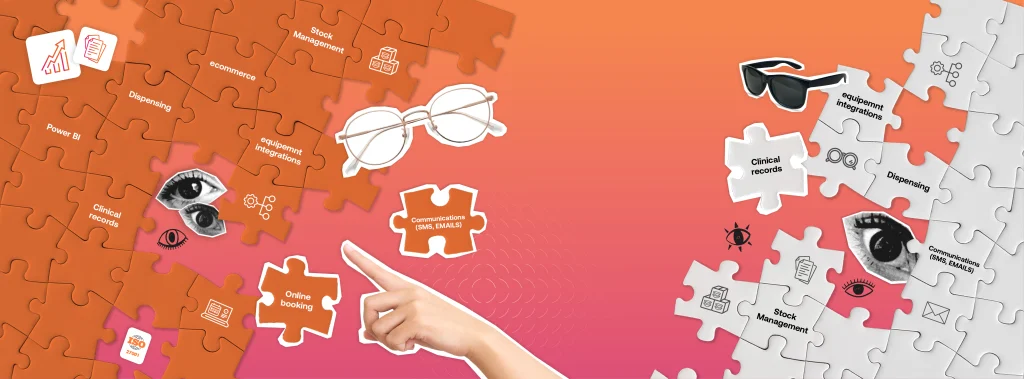
Acuitas 3 is the flagship platform from Ocuco, an optical software company founded in Dublin in 1993. Ocuco is now the largest optical retail software provider globally, with products used across more than 6,750 sites across dozens of countries. Acuitas 3 is built for both independent optical practices and optical chains across the UK, Ireland, the Netherlands, Belgium, Italy, Belgium, Canada and the US. The platform is designed to unify clinical records, dispensing, eCommerce, and patient management into a single connected system, with an emphasis on ease of use for everyday practice workflows. Despite the breadth of features on offer, the platform is a practical choice for single-site independents, those planning to grow, and optical chains alike.
How the Platforms Compare at a Glance
The table below covers the features that affect day-to-day operations. Both platforms handle the fundamentals; the differences become clearer in the detail.
Clinical and Operations
| Feature | Acuitas 3 | Optisoft |
|---|---|---|
| Diary & online booking | Yes; unified online and in-practice ¹ | Yes; appointments module available ² |
| Clinical records | Fully configurable by visit type ¹ | Pathway-based; configurable per optometrist ² |
| Equipment integrations | Extensive published catalogue ¹ | Not listed as a core feature ² |
| eGOS | Yes; GOS forms and payment reconciliation ¹ | Yes; included in core package ² |
| Dispensing | Validated dispensing with real-time error checks ¹ | Spectacle and contact lens dispensing module ² |
| Stock management | Real-time across sites ¹ | Barcoded stock management module ² |
| Recall & patient comms | Multi-channel automated recall ¹ | Recall, email and SMS in core package ² |
| eCommerce | Yes; synced online and in-practice ¹ | Not listed as a core feature ² |
| Contact lens management | Yes ¹ | Fit and aftercare via dispensing module ² |
| Financials & EPOS | Yes ¹ | Cash module available ² |
| Direct debit plans | Yes ¹ | Direct debits module available ² |
| Reporting | Power BI integrated dashboards ¹ | Not listed as a core feature ² |
¹ Acuitas 3 features: https://www.ocuco.com/industry-solutions/independents/acuitas-3/
² Optisoft features: https://www.optisoft.co.uk/solutions/ and https://www.optisoft.co.uk/prices/
Note: Compiled from publicly available sources at the time of writing. Feature availability may change; always verify directly with each vendor before making a decision.
Pricing and Commercial Model
Optisoft’s pricing is published on their website. The core subscription is £150 per month and includes patient records, advanced recall, email and SMS, eGOS, prescription history, and to-do lists.
Practices add further modules: appointments, clinical records, dispensing, stock, cash management, and direct debits at £25 per module per month. Optional cloud hosting adds £55 per month. There are no long-term contract commitments listed, and the company offers discounts for new start-ups and existing users adding locations.
Acuitas 3 is priced based on the specific requirements of each practice: number of sites, users, and modules all factor into the quote. This reflects the platform’s flexibility across a wide range of practice sizes and configurations, from single-site independents to multi-location groups. Practices evaluating Acuitas 3 should request a personalised quote to understand what the investment looks like for their setup.
The two models suit different priorities. Optisoft’s published pricing makes it easy to map costs from the outset, which some practices find useful when building a business case. Acuitas 3’s quote-based structure means pricing is tailored to what each practice actually needs, rather than applied as a flat rate.
Both approaches are worth evaluating against the full scope of what each platform delivers.
eGOS and NHS Workflow
eGOS support is a baseline requirement for many UK optical practices, and both platforms meet it. Optisoft includes eGOS in the core package, with GOS claims processed directly within the system: no browser switching, no separate application. Acuitas 3 integrates eGOS within a broader NHS workflow layer that covers GOS forms, voucher management, and payment reconciliation as part of the connected patient record.
For practices processing significant NHS volume, the question is not whether the platform supports eGOS but how it handles edge cases: rejected claims, submission errors, and how those link back into the patient record and financial reporting.
Both platforms have been handling eGOS for several years and provide workflows intended to support high‑volume submission. A demo focused on those scenarios is the most useful way to assess which approach fits how your practice actually operates.
Clinical Records and Equipment Integration
Clinical records are where the two platforms take noticeably different approaches. Acuitas 3 builds the exam workflow around configurability by visit type, with structured documentation across every stage of the patient journey and what the company describes as the largest equipment integration catalogue in the industry. For practices running a range of diagnostic devices, the depth of the published integration list matters more than a general commitment to integrating on request.
Optisoft’s clinical records module uses a pathway-based design that can be configured per optometrist. It is built with touch screens in mind and updates patient records directly from the examination, removing a separate administration step.
Equipment integration is not listed as a named feature on Optisoft’s public pages. Practices that rely on specific diagnostic hardware should raise this directly with Optisoft before evaluating further. By contrast, Acuitas 3 offers the largest portfolio of equipment links to imaging, diagnostic and dispensing devices in the optical industry. This spans autorefractors, OCTs, tonometers, field analysers, fundus cameras, frame tracers and more from multiple brands, all worth checking on Ocuco’s equipment page.
For practices with a standard setup and no unusual device requirements, the difference in integration depth may not be relevant. For practices running a broader diagnostic suite, it is one of the clearer distinguishing factors between the two platforms.
Dispensing and Stock Management
Acuitas 3 includes a validated dispensing check that confirms in real-time whether a specific frame and lens combination is manufacturable before the order is placed. This capability draws on Ocuco’s deep optical lab industry expertise. As the developer of Innovations, one of the industry’s leading lab management systems, Ocuco brings a level of supply chain understanding from practice to lab that goes beyond what a typical practice management software provider offers. This validation step is designed to reduce remakes, and for practices where dispensing errors are an ongoing concern, it is worth exploring in a demo.
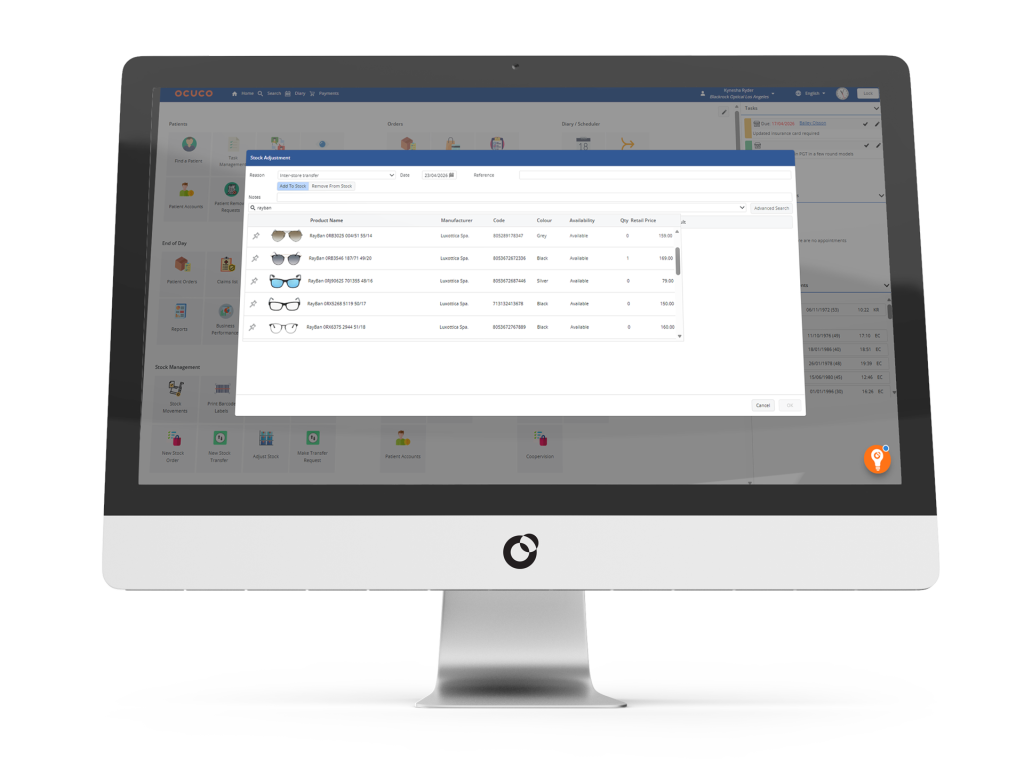
Beyond dispensing, Acuitas 3 also covers real-time inventory tracking across frames, lenses and solutions, synced product catalogues across in-practice and online sales, automatic replenishment triggers when stock falls below defined thresholds, and a zonal stock take module that allows a full inventory count without interrupting practice trading.
Optisoft handles dispensing through a module that covers spectacles and contact lenses, linking directly into the cash and stock modules. Stock management uses manual and electronic stock takes, including the use of barcoding equipment. Both modules are available as add-ons at the standard £25 per module rate. The direct connection between dispensing, stock, and financials within Optisoft can reduce the risk of data being entered separately in multiple places which is a common source of errors in smaller practices that rely on manual processes.
Practices evaluating how dispensing connects to the wider patient and stock record may also find it useful to review how each platform approaches optical inventory management as part of any demo walkthrough.
Reporting
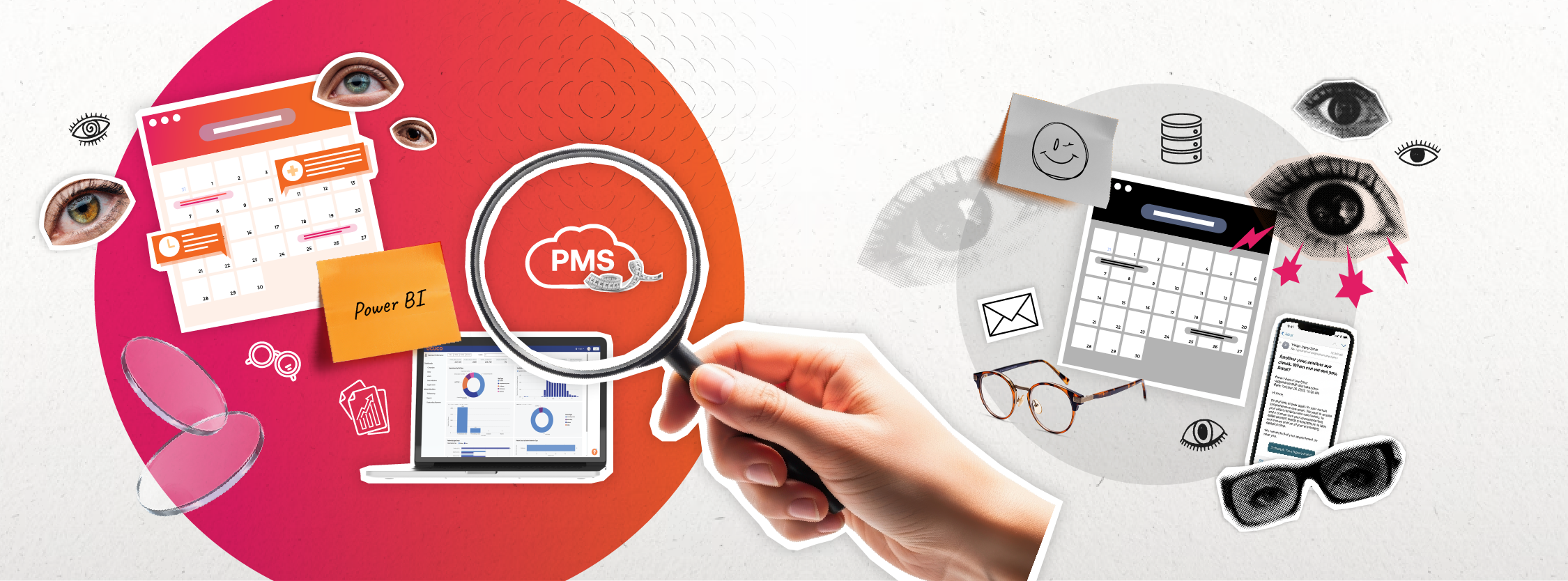
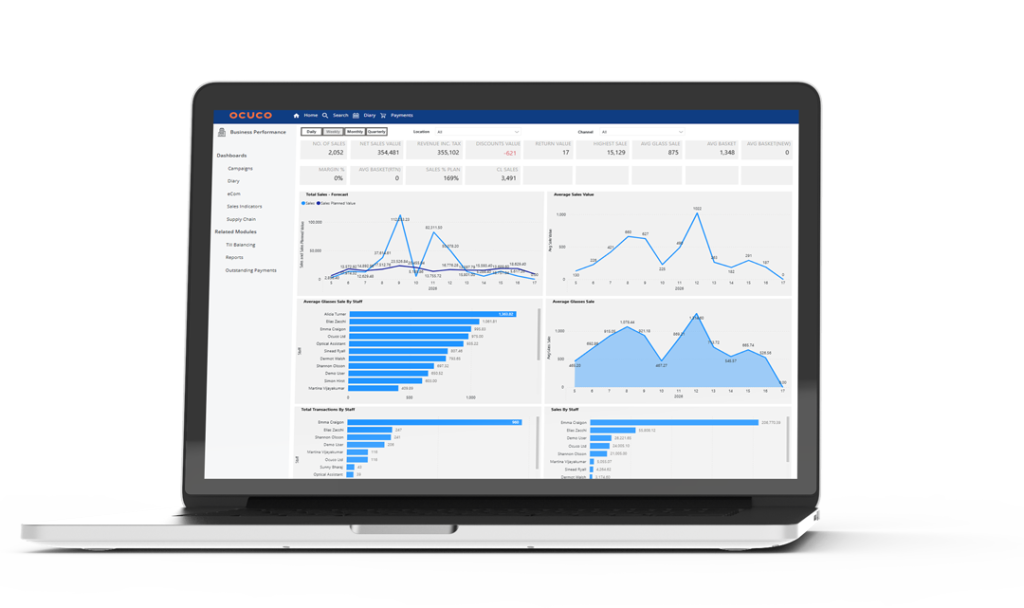
Reporting is one of the clearer differentiators between the two platforms. Acuitas 3 integrates Power BI, which gives practices dashboards with drill-down capability by site, clinician, and time period. For practices managing multiple locations, or those with staff who work with data regularly, the ability to build custom reports against the underlying dataset is a practical advantage.
Optisoft includes reporting across its modules, but does not present a dedicated BI-style dashboard or analytics layer like Power BI on its public pages. For single-site practices, reporting needs vary: some will be well served by standard reports, while others will prefer BI-style dashboards for KPI tracking.
Multi-Site Operations
Acuitas 3’s multi-site architecture is built around centralised control and visibility across locations. It also supports centralised reporting and KPI tracking through Power BI and it maintains a patient record that connects in-practice and online touchpoints. The platform is used by optical chains and groups across the UK, Ireland, the Benelux and the US, and its design reflects the operational demands that come with managing more than one site consistently.
Optisoft supports multi-site operations through its cloud hosting option, which enables access from multiple locations with automated back up in UK data centres at £55 per month. For independent practices running two or three sites without an IT team, this is a low-friction way to connect locations. It is a different model to the centralised group management architecture in Acuitas 3, and practices planning significant expansion should think carefully about which approach fits their longer-term direction.
Compliance, Scale, and Commercial Overview
| Feature | Acuitas 3 | Optisoft |
|---|---|---|
| ISO 27001 | Yes | Not listed ² |
| SOC 2 Type II | Yes | Not listed ² |
| Cyber Essentials | Not listed ¹ | Yes ² |
| GDPR compliance | Yes ¹ | Yes ² |
| Deployment | Cloud or on-premise¹ | Cloud or on-premise ² |
| Multi-site | Centralised reporting and control ¹ | Cloud hosting supports multiple locations ² |
| API access | Yes ¹ | Not listed ² |
| US market support | Yes ¹ | No ² |
| Pricing | Quote-based by practice size ¹ | £150/month core; £25/month per additional module ² |
Note: Compiled from publicly available sources. Always verify directly with each vendor before making a decision.
Security and Compliance
Acuitas 3 is backed by ISO 27001-certified practices and SOC 2 Type II certification alongside GDPR and DPA compliance and a full audit trail. Ocuco operates as a Microsoft Partner. For practices operating within larger groups, or those subject to formal governance requirements, that third-party certification provides a level of assurance that goes beyond a vendor’s own claims.
Optisoft holds Cyber Essentials certification, is GDPR-compliant, and also operates as a Microsoft Partner. It offers a choice between cloud hosting in UK data centres and on-premise installation, which gives practices direct control over where their data is stored.
For practices with strong preferences around data residency, the on-premise option is worth exploring. Practices with more specific compliance requirements should ask Optisoft to confirm their current position before treating any publicly available information as definitive.
Which Practice Each Platform Suits
Optisoft suits independent practices that want a system with a clear cost structure and a straightforward setup. The core package covers what many single-site practices need on a daily basis, and the modular pricing means additional functionality can be added when the practice is ready for it rather than on day one. UK-based support and the option to host data on-premise are practical considerations for practices that want to keep their setup simple and their data close.
Acuitas 3 suits practices where clinical workflow depth, equipment integration, and reporting are priorities. The validated dispensing layer reduces remake rates, the equipment integration catalogue covers a wide range of diagnostic devices, and Power BI reporting gives practices visibility across sites and time periods without needing a separate analytics tool. ISO 27001 and SOC 2 Type II certification mean it is also the more straightforward choice for practices that have formal data security or compliance requirements to satisfy.
The two platforms support similar core workflows, but they take different approaches to how functionality is packaged and expanded. Optisoft typically starts lean and add capability incrementally. Acuitas 3 is positioned as a more connected platform, designed to link clinical, operational and reporting workflows from the outset, with capacity to support additional sites and complexity as a practice grows. Which approach fits depends on where the practice is now and where it expects to be in three to five years.
Taking the Next Step with Acuitas 3
For practices that have outgrown their current system or are building a foundation they expect to grow into, Acuitas 3 connects clinical records, practice management, dispensing, eCommerce, and reporting in one platform. Adding sites or users does not require bolting on separate tools, the architecture is designed to handle it.
The validated dispensing layer, the equipment integration catalogue, and the Power BI reporting are features that tend to become more important as practice volume and complexity increase. Practices earlier in that journey may not need all of it immediately, but the platform grows without requiring a migration later.
For anyone evaluating their options, a walkthrough of how Acuitas 3 handles the optical practice management workflows specific to their setup is the most direct way to assess whether it is the right fit.
Book a demo with Acuitas 3 to see it in the context of your own practice.